This guide is for homeowners who want to install a ceiling fan where either an existing light fixture or a rough-in electrical box is already in place. If there is no electrical box at the location at all, you need to run new wiring, which is a separate project and requires a permit in Florida.
Installing a ceiling fan is one of the more practical projects in a Jacksonville home. The fans run almost year-round here, so a fan-rated box and solid installation matter more than they would in a northern climate where the fan runs three months a year.
Difficulty: Moderate. The ceiling work and wiring require comfort with heights and basic electrical knowledge. If you have never worked with household wiring, read through the entire guide before starting so you know what you are getting into.
Time estimate: 2-4 hours for a straightforward swap of a light fixture for a ceiling fan. Add 1-2 hours if you are installing a new brace or working with older wiring.
Total cost range: $80-$400 depending on the fan. A solid mid-range fan with a remote or wall control runs $120-$200. Add $25-$50 for a brace kit if needed.
Tools you need
- Non-contact voltage tester (mandatory; do not skip this)
- Screwdrivers (Phillips and flathead, multiple sizes)
- Wire strippers
- Needle-nose pliers
- Adjustable wrench
- Ladder (6-foot stepladder for standard 9-foot ceilings)
- Electrical tape
- Flashlight or headlamp
- Circuit breaker map or pen to label the breaker
Materials you need
- Ceiling fan with mounting hardware (most fans include what you need; $80-$350)
- Fan-rated ceiling box if replacing a standard light fixture box (pancake box or retrofit brace kit, $12-$30)
- Wire connectors (wire nuts), already included with most fans but buy extras
- Optional: fan speed control switch or remote receiver ($20-$45 if not included with fan)
- Optional: light kit if the fan does not include one ($20-$60)
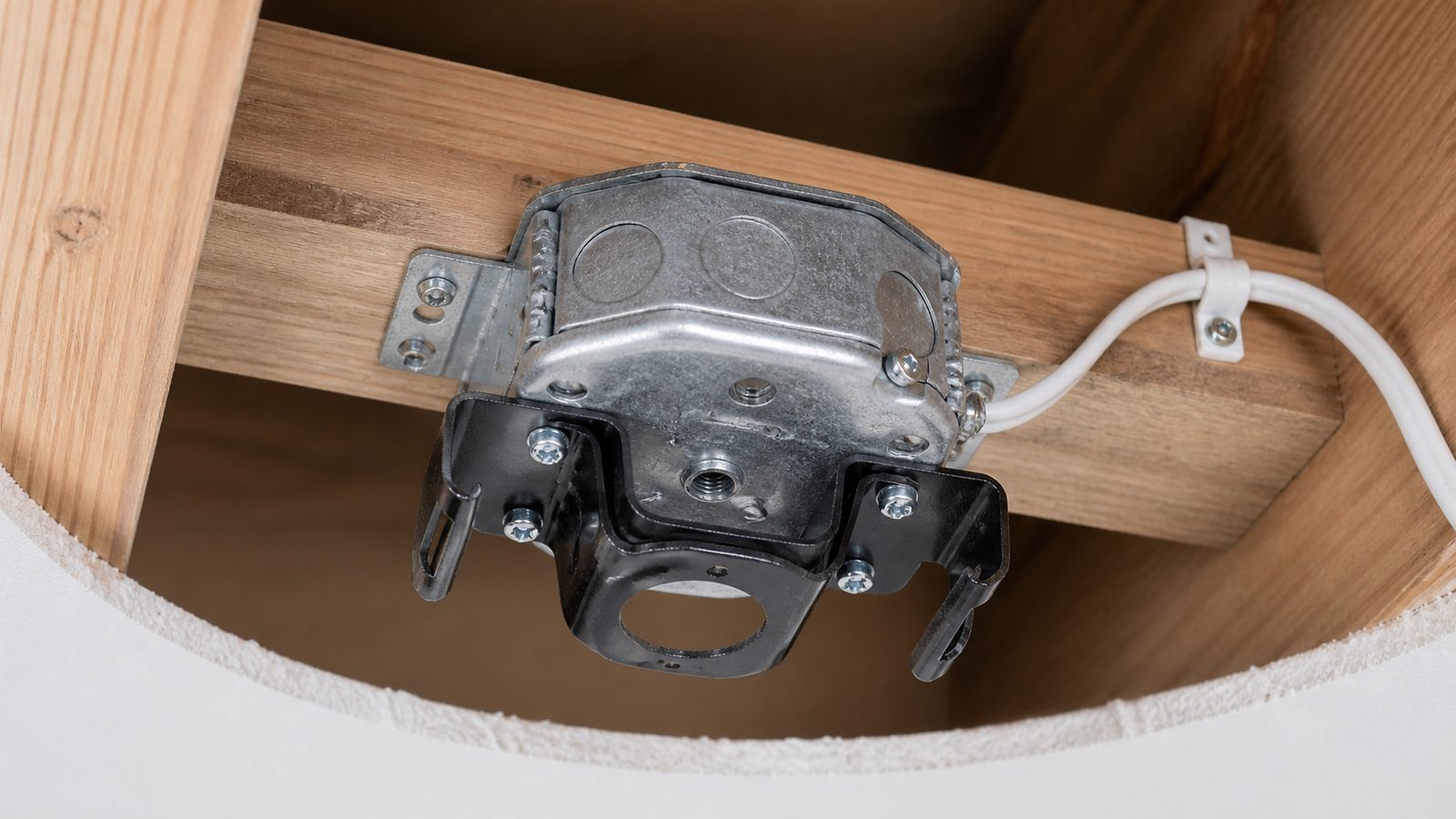
Note on the box: A standard light fixture box is rated for 35 pounds. A ceiling fan weighs 20-50 pounds and generates constant torque from the motor. The Florida Building Code requires a fan-rated box for any ceiling fan installation. If the existing box says "acceptable for fan support" or shows a fan-rated stamp, you may be able to reuse it. If it does not, replace it before mounting the fan.
Step-by-step instructions
Phase 1: Safety and assessment
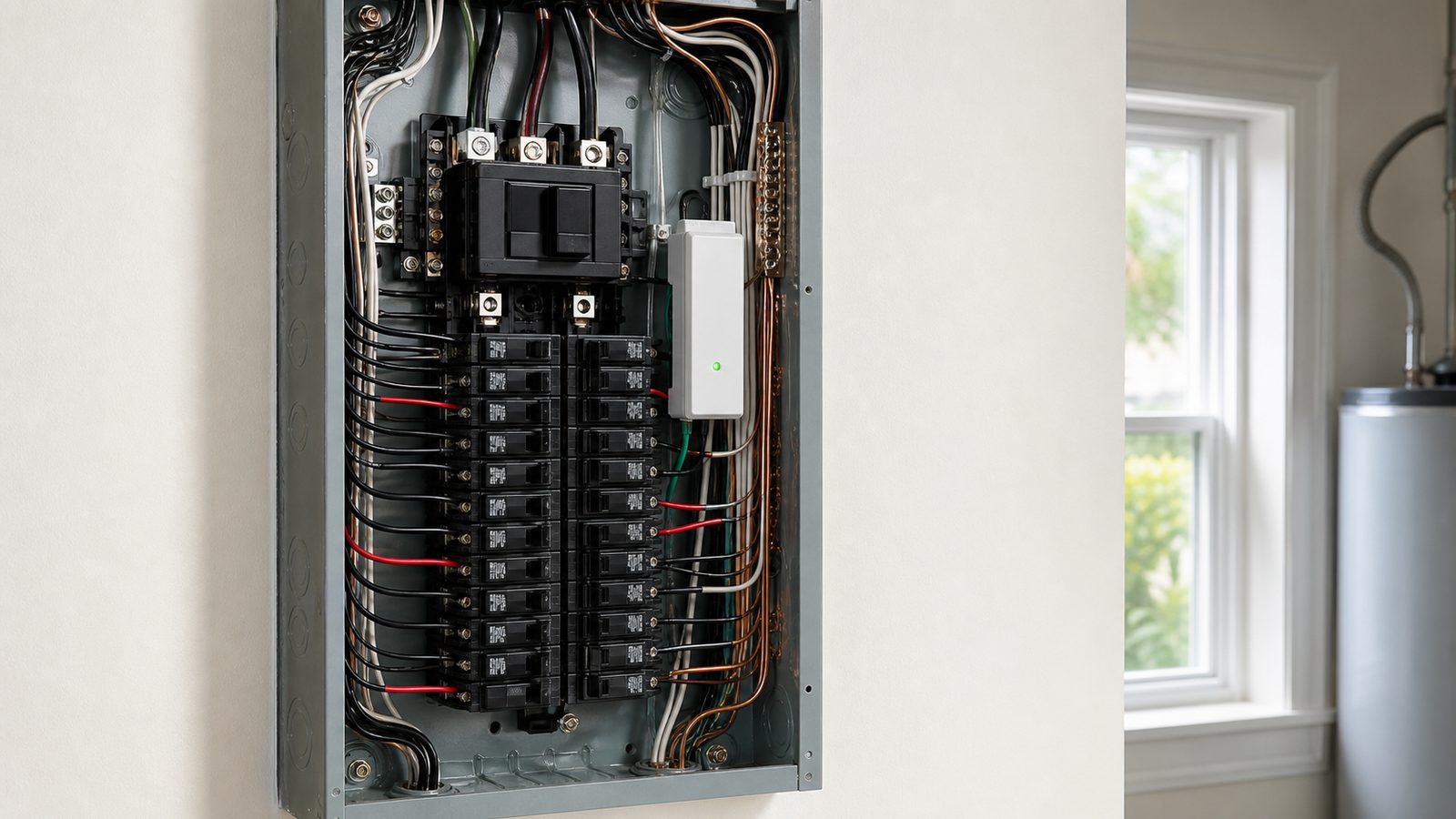
Step 1: Cut power at the breaker panel. Find the circuit breaker that controls the room. Flip it off. Go back to the room and use your non-contact voltage tester at the existing light fixture to confirm the power is actually off. Testers cost $15-$25 and can save your life. Do not rely on the wall switch alone — some wiring configurations keep the box hot even when the switch is off. Always test at the box.
Step 2: Remove the existing fixture. With the power confirmed off, unscrew the canopy or cover plate of the existing light fixture. Most fixtures hang from a mounting bracket screwed into the electrical box. Note how the wires are connected before disconnecting anything. Take a photo with your phone so you have a reference. Disconnect the wire connectors, unwrap any electrical tape, and set the fixture aside.
Step 3: Assess the existing box. Look at the box attached to the ceiling. It should have a fan-rated label or stamp. If it is a plastic standard box stapled to a joist, it is not fan-rated. Two options:
- If you have attic access above that ceiling, the cleanest solution is to add a proper fan box nailed to a joist or blocking. This requires going up in the attic.
- If you do not have attic access or want to stay on the ladder, use a retrofit fan brace kit. These are expandable metal bars that fit through the existing hole, brace between joists, and accept a fan-rated box. They cost about $20-$30 and work well. Follow the kit instructions exactly.
Phase 2: Mount the brace and box (if needed)
Step 4: Install the retrofit brace. Collapse the brace, slide it through the ceiling box hole, and position it perpendicular to the joists. Turn the center bolt clockwise until the brace expands and bites into both joists with its steel teeth. Use pliers to continue tightening until it is solid. Install the fan-rated round box on the center shaft of the brace per the kit instructions. Give it a firm tug — it should not move.
Phase 3: Wiring
Step 5: Understand what you have. Most ceiling fan installations involve three or four wires from the ceiling:
- Black (hot, for the fan motor)
- White (neutral)
- Green or bare copper (ground)
- Sometimes a blue wire (hot, for the light kit, when a separate switch controls the light)
If you have only one hot wire from the ceiling (one switch controls both fan and light), you have two options: use a remote control kit so one switch controls both functions via the remote, or have an electrician run a second hot wire so you can have separate wall switches.
Step 6: Assemble the mounting bracket and hang the fan motor. Most fans use a ball-and-socket or J-hook mounting system that lets you hang the motor while making the wire connections. This keeps your arms free and reduces fatigue. Follow the fan's specific assembly instructions for the canopy, mounting bracket, and downrod or flush-mount configuration. For Jacksonville rooms with 8-foot ceilings, flush-mount (hugger) fans work well and do not impede headroom.
Step 7: Connect the wires. With the motor hanging on the hook:
- Connect the ceiling black wire to the fan's black wire (motor lead).
- If there is a blue wire from the fan for the light kit, connect it to the ceiling black or to a separate ceiling blue/red wire if you have one.
- Connect white to white.
- Connect ground (green or bare copper from the ceiling) to the green wire on the fan and to the green screw on the mounting bracket.
Twist on the wire connectors firmly. Give each connection a tug to confirm it is seated. Tuck the wires into the canopy carefully so no bare copper is exposed outside a connector.
Step 8: Attach the canopy and blades. Bring the canopy up to the ceiling and secure it to the mounting bracket. Install the blade arms and blades according to the fan instructions. Most fans have a small set screw that locks the blade arm to the motor housing. Do not over-torque plastic components.
Phase 4: Test and finalize
Step 9: Install any light kit. Attach the light kit to the bottom of the motor housing per instructions. Connect the white wire from the light kit to white and the blue or black light wire to the corresponding motor lead. Cap the connections and tuck the wires inside the housing.
Step 10: Restore power and test. Go back to the breaker panel and flip the circuit on. Test the fan at all speeds. Check that the light kit works. Stand back and verify the fan runs smoothly without wobbling.
Step 11: Balance the fan if it wobbles. Minor wobble is common with new fans. Most fans include a balancing kit — small adhesive weights you apply to the top of the blades. Test one blade at a time by clipping the weight near the middle of the blade. When you find the blade that reduces wobble, move the clip toward the tip or root until wobble is minimal, then apply the adhesive weight permanently.
Common mistakes to avoid
- Using a light-duty box for a fan. This is the most common and most dangerous mistake in ceiling fan installation. A box rated for 35 pounds of static load is not rated for the dynamic load of a spinning motor. Fans have pulled out of ceilings in Florida homes. Do not skip the box check.
- Not cutting power at the breaker. A wall switch does not always de-energize a ceiling box. Use the breaker and confirm with a tester.
- Loose wire connections. A loose wire nut on a hot connection is a fire hazard inside the ceiling cavity. Every connection should be twisted until the connector cannot spin on the wires.
- Skipping the ground wire. The green grounding wire connects to the metal mounting bracket and back to the panel. It is a safety path for fault current. Connect it.
- Installing a non-damp-rated fan on a covered porch. If the fan will be anywhere that moisture can reach it, Florida building code and the fan manufacturer require a damp-rated or wet-rated fan. Standard indoor fans corrode quickly in Jacksonville's coastal humidity.
When to hire a pro instead
Call a licensed electrician or GC for ceiling fan work if:
- There is no existing electrical box at the location and you need new wiring run. New circuits require a permit in Florida, and unpermitted wiring shows up on home inspections.
- The wiring in the box is aluminum. Some homes built in Jacksonville in the 1960s and 1970s used aluminum branch circuit wiring. You can identify it by the silver color of the conductor. Aluminum wiring requires specific devices and connectors and should only be modified by a licensed electrician familiar with the material.
- The box is in a concrete or plaster ceiling and you cannot determine what is behind it. Concrete ceilings are common in some Jacksonville mid-century construction. Anchoring into concrete requires different hardware.
- There are more than four wires in the box or the wiring does not match the standard pattern described above. Old homes sometimes have knob-and-tube wiring or non-standard configurations that are easy to miswire.
- The fan will go on a covered or open porch and you are not sure what rating is required. Installing an indoor-rated fan in a wet location is a fire and electrocution hazard.
Need a Jacksonville GC for this job? Get a 48-hour free fixed-price estimate from JK Prestige Constructor.
No call center. No coordinator. A JK principal reviews every inquiry and replies with a real number, not a range, not a follow-up form.
Request Free Estimate →