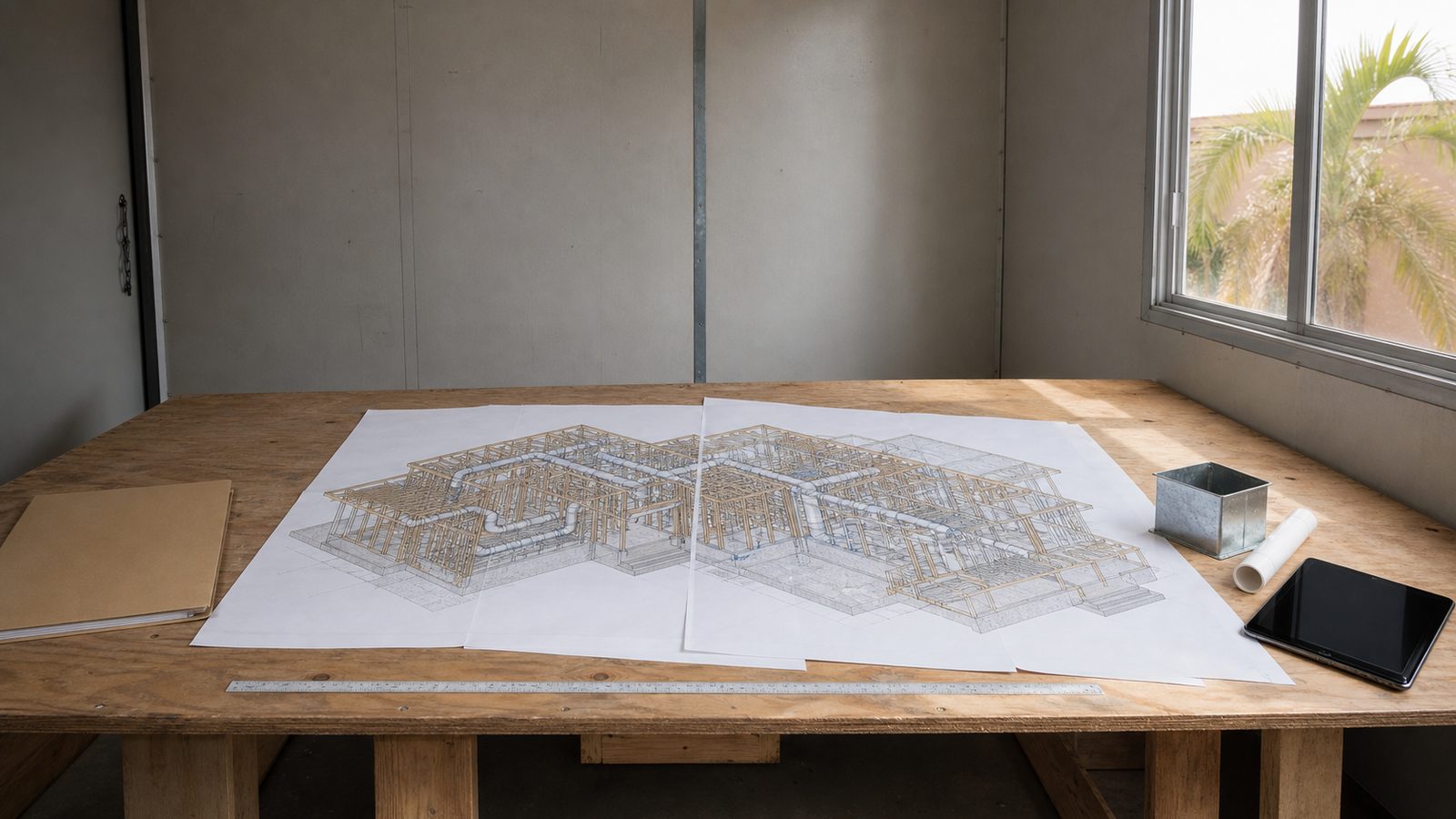
If your custom home contractor has mentioned BIM or VDC, here's what those terms mean in practical terms for your project. Virtual Design & Construction (VDC) is the process of building and coordinating a construction project digitally before physical work begins. Building Information Modeling (BIM) is the software tool that produces the 3D model — structure, Mechanical, Electrical, and Plumbing (MEP) systems, and finish specifications all in a single coordinated file. When a duct is routed through the model and it intersects a structural beam, the model flags it before framing. When the electrical panel location conflicts with a planned cabinet run, the clash is resolved in software, not in the field. On a custom home build in Jacksonville, where the complexity of site conditions, custom structural spans, and integrated systems creates significant coordination risk, VDC and BIM reduce errors before the first framing nail is driven.
What BIM Actually Produces on a Custom Home
Most homeowners have seen 2D floor plans and 3D architectural renderings. BIM is neither. A BIM model is a data-rich 3D file that contains:
- Every structural member: beams, columns, floor joists, roof framing
- All MEP systems: ductwork runs, plumbing supply and drain lines, electrical conduit paths, panel locations
- Exterior envelope: wall assemblies, window and door rough openings, roof structure
- Finish specifications: cabinetry, built-ins, countertop overhangs, tile extents
The model is not a picture. It's a building — in software. Each element has properties: dimensions, material, specification reference, and installation relationship to adjacent elements. When a change is made to one element, connected elements update automatically. Move a beam two inches and every framing member connected to it adjusts. That coordination is what makes BIM a construction tool, not just a visualization tool.
On JK Prestige projects above $2 million, BIM is standard on all ground-up construction. The model is built during pre-construction, before any material is ordered or any trade is mobilized to the jobsite.
How MEP Clash Detection Works
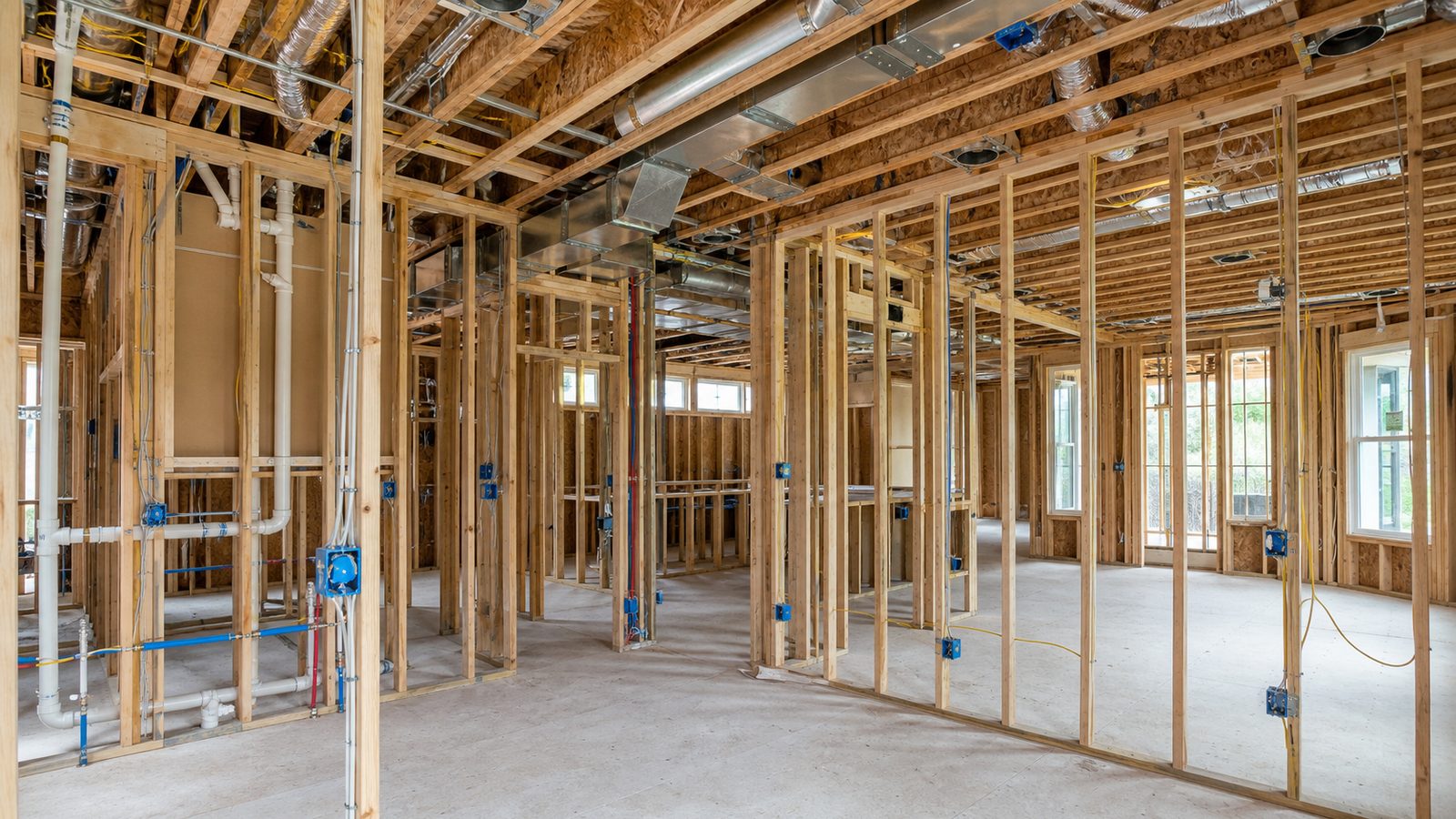
MEP clash detection is the most immediately practical benefit of BIM for a custom home. Here's what it finds and why it matters:
Custom homes have significant MEP coordination requirements. A well-designed custom home typically includes:
- Central HVAC with multiple air handling zones, each requiring ductwork runs through floor and wall cavities
- Whole-home audio-visual distribution with low-voltage runs at specific heights and locations
- Lighting control systems (Lutron or Control4) with wiring infrastructure in finished ceilings and walls
- Plumbing supply and drain lines serving multiple wet areas, often stacked across floors
- Electrical circuits for kitchen appliances, EV charging, home automation hubs, and standard circuits
All of these systems share the same wall cavities, ceiling plenums, and floor assemblies. In a conventional build without BIM, each trade contractor installs their rough work based on their own drawings. Conflicts are discovered when one trade's crew shows up and finds another trade has already run through the space they need. The resolution involves field modifications — cutting, rerouting, re-framing — that cost time and typically generate RFIs (Requests for Information) and change orders.
In a BIM model, all trades are coordinated in a single file. The clash detection algorithm identifies every intersection between elements: every duct that crosses a beam, every pipe that runs through a structural header, every low-voltage run that conflicts with a cabinet soffit. JK's pre-construction team resolves every detected clash in the model. Field crews arrive with a coordinated installation sequence. They know where every element goes, and none of the conflicts that would have occurred in the field have been left for the crews to negotiate.
A typical custom home at the 4,000–7,000-sqft range generates 40 to 80 MEP clashes in the initial model before resolution. Each of those represents a field problem that didn't happen.
What 4D Scheduling Adds
BIM is a spatial model. 4D scheduling connects the spatial model to the time dimension — linking every model element to the project calendar. The result is a construction simulation: a video of the building being assembled, phase by phase, day by day.
For a custom home owner, 4D scheduling produces:
- A visual representation of what the project will look like at any point in time, not just at completion
- A clear picture of the construction sequence — which phases depend on which preceding phases
- Identification of long-lead items: materials that must be ordered months before they're installed (custom steel, specialty windows, mechanical equipment) and their required delivery dates
- A baseline schedule with phase milestones that the actual project progress can be compared against
For the JK project team, 4D scheduling is a coordination tool. When a long-lead window package has a 14-week lead time, the 4D model shows exactly when the window opening needs to be framed, when the order needs to be placed, and what happens to the schedule if delivery is delayed. That planning happens before ground breaks — not when the window rough opening is sitting open waiting for glass.
Owner portal access during construction gives clients a live view of schedule progress versus the 4D baseline. If a phase is running two days behind, the owner sees it in the portal — not in a delayed phone call.
How VDC Reduces RFIs and Change Orders
An RFI (Request for Information) is a formal question raised during construction, typically by a subcontractor or trade crew, that requires a design decision or clarification before work can proceed. RFIs are normal in construction — but high RFI counts signal a design that wasn't fully coordinated before field work began.
On a conventional custom home build without BIM, common RFI sources include:
- Duct runs that don't fit in the ceiling plenum shown on the architectural drawings
- Electrical panel locations that conflict with planned finish elements
- Plumbing rough-in heights that don't match fixture specifications
- Structural headers that interfere with planned HVAC equipment locations
- Low-voltage rough-in requirements that weren't captured in the initial design
Each RFI pauses work while the question is answered, reviewed, and resolved. In a fast-moving custom home framing schedule, multiple concurrent RFIs can slow progress measurably.
BIM coordination resolves most of these questions in pre-construction. The model answers the question before the field crew asks it. Fewer RFIs means the framing crew and MEP crews work continuously without the stops and restarts that RFI queues create.
The same logic applies to change orders. When scope conflicts are discovered in the field — a duct in the wrong location, a beam in the wrong place — the correction generates a change order. If the conflict was found in the model, it was corrected at zero cost. If it's found in the field, correction involves labor, materials, and schedule impact. The change order cost is real. The model conflict resolution cost is the time spent on pre-construction coordination.
Model-to-Field Tablets: What Crews Actually Use
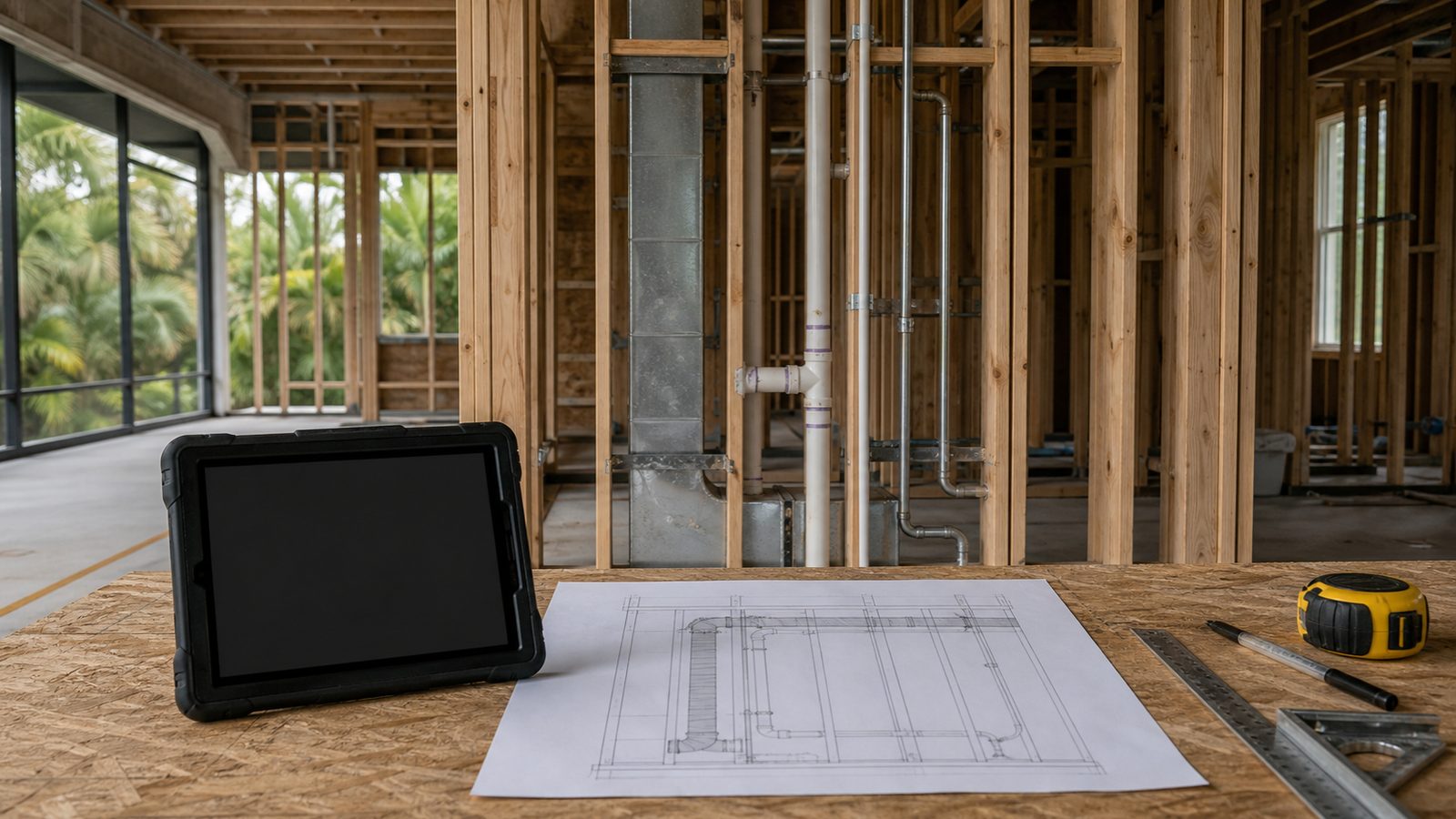
The BIM model doesn't stay in the office. JK field crews work from model-to-field tablets — devices loaded with the coordinated BIM model for their trade and phase. Instead of reading a 2D paper drawing and interpreting a three-dimensional installation, the framing crew sees the three-dimensional framing layout. The MEP rough-in crew sees exactly where their duct runs are coordinated to fit.
This reduces field interpretation errors — the gap between what the drawing shows and what the installer interprets. When the toilet rough-in location is shown in three dimensions relative to the surrounding wall framing, there's no ambiguity about offset dimensions. The installer sets it where the model shows it.
For custom home owners, this translates to a cleaner punchlist at substantial completion. Punch items are typically caused by installation that deviated from specification — either because the spec was unclear or because the installer interpreted it differently than intended. BIM reduces both causes.
Connecting VDC to the Principal Communication Model
Technology tools are only as useful as the people interpreting them for the owner. JK's owner portal is connected to the BIM schedule — the progress reports the owner sees reflect the 4D model milestones, not a separate tracking spreadsheet. When a phase is reported complete, it means the model element is built. When a long-lead item is flagged, the portal shows its required on-site date and current lead time.
The named principal who manages the project is responsible for the accuracy of what the owner sees in the portal. That accountability — principal to owner, not coordinator to reporting system — is what makes the technology useful rather than decorative.
Explore how JK integrates VDC into the full custom home delivery process at The JK Way, and see what it means for a custom home build at our custom homes expertise page.
Get a written estimate in 48 hours for your Jacksonville custom home — contact a JK Prestige principal.
No call center. No coordinator. A JK principal reviews every inquiry and replies with a real number, not a range, not a follow-up form.
Request Free Estimate →